The Three-Step Workflow
Everything in Bedrock follows a simple progression: Sources → Streams → Campaigns.
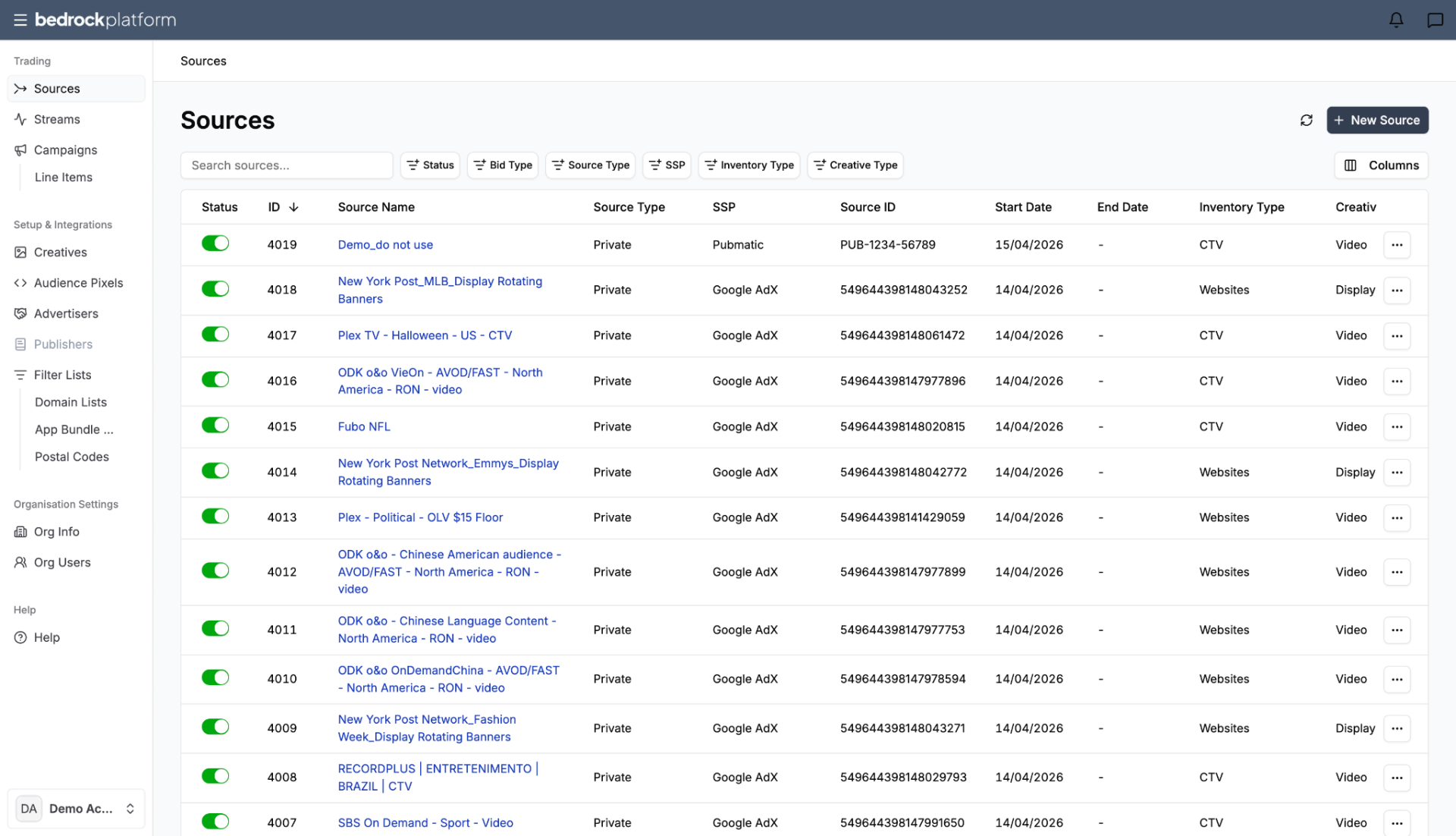
1. Sources
Sources represent your inventory — the deals you’ve negotiated with SSPs (Supply-Side Platforms). A source is typically a deal ID from a specific SSP. The workflow for adding a source is straightforward: name, date range, inventory type, creative type, SSP, and deal ID.
Think of sources as: the raw building blocks of your media buy.
UI location: Trading → Sources
2. Audience Streams
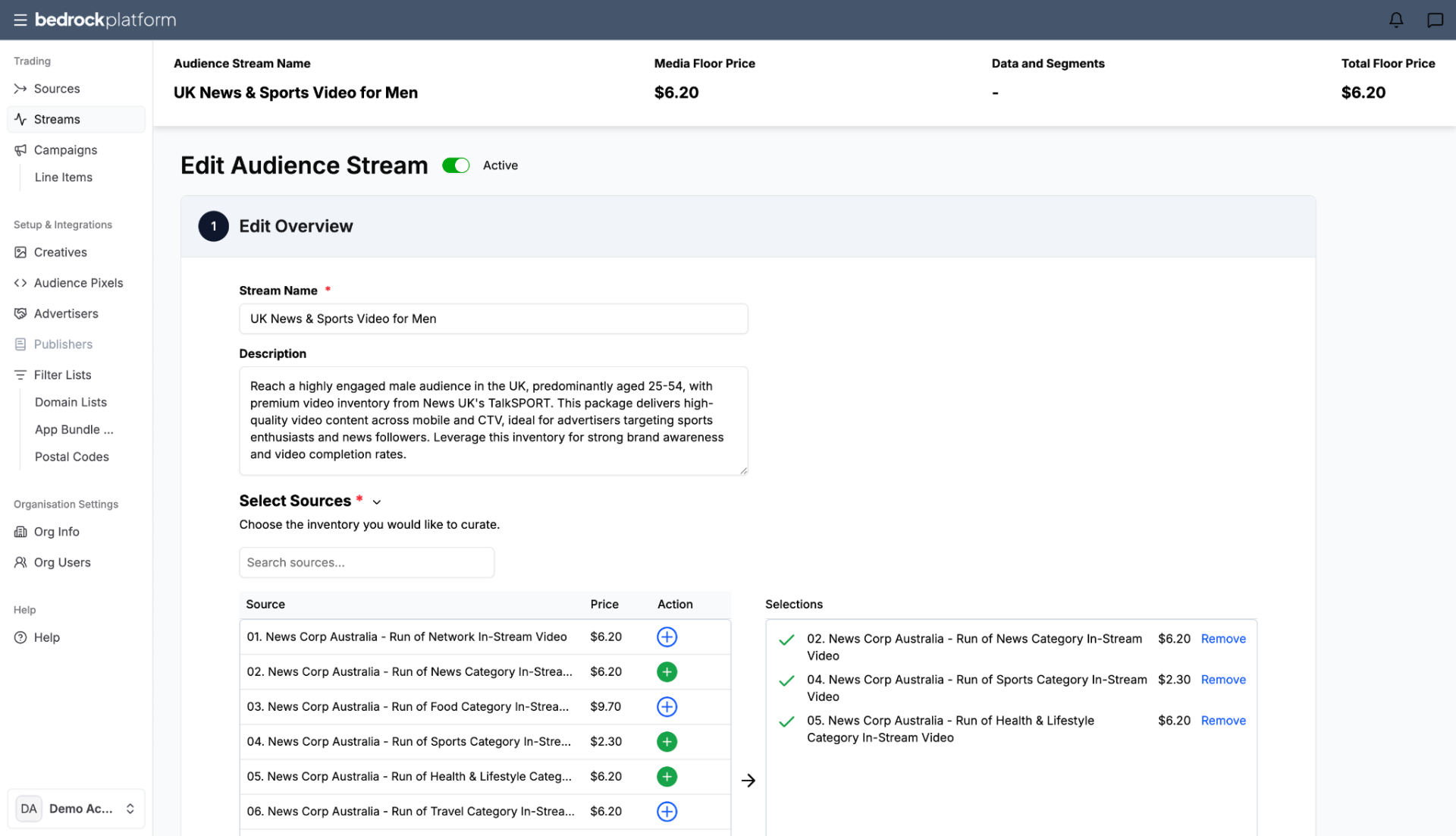
Streams are where you package and refine your sources. An Audience Stream takes one or more sources and enriches them with:
- Audience data — first-party and/or third-party segments.
- Contextual Categories — content categories matched to the IAB Taxonomy v3.0.
- Attention Targeting — engagement quality (powered by Lumen Research).
- Geo (Locations) — country, region, or city level.
- Day & Time Schedule — control when the stream runs.
- Distribution & Pricing — select buyers and set margin.
Think of streams as: the recipe you build from raw ingredients. One stream can combine sources from multiple SSPs into a single, audience-focused bundle.
UI location: Trading → Streams (page header: Audience Streams)
3. Campaigns and Line Items
Campaigns hold one or more line items. Each line item connects to exactly one stream and controls the execution: budget, flight dates, frequency capping, bidding strategy, and creative assets.
Think of campaigns as: the media plan in action — where budget meets audience.
UI location: Trading → Campaigns / Line Items
Why This Separation Matters
Efficiency Through Reuse
In most DSPs, targeting and inventory selection live inside the line item. If you want to run the same inventory next month, you rebuild everything.
In Bedrock, the stream holds the targeting and data. The line item holds the execution. When you want to rerun a campaign, you create a new line item and attach the existing stream — no rebuilding.
Clean Separation of Concerns
| Layer | What It Controls |
|---|---|
| Sources | Which inventory (deals, SSPs) |
| Streams | Which audience (data, targeting, pricing) |
| Campaigns / Line Items | When, how much, how often (budget, dates, bidding) |
Cross-Vendor Bundling
A single stream can combine sources from multiple SSP platforms such as PubMatic, Magnite, and others all under one audience-focused label. The buyer doesn’t need to think about SSP boundaries.
The Object Hierarchy
Account
└── Advertiser
└── Campaign (budget, flight dates)
└── Line Item (bidding, frequency, creatives)
└── Audience Stream (targeting, data, pricing)
└── Source(s) (SSP deals)
Key relationships:
- Each Line Item is associated with a single Stream
- Each Stream can contain one or many Sources
- The same Stream can be reused across multiple Line Items
- The Campaign budget caps the total spend across all its Line Items
Getting Started
- Create an Advertiser → Setup & Integrations → Advertisers
- Add Sources → Trading → Sources → New Source
- Build a Stream → Trading → Streams → New Stream
- Create a Campaign → Trading → Campaigns → New Campaign
- Add a Line Item → link it to your stream, set budget and dates
- Upload Creatives → Setup & Integrations → Creatives
- Activate → toggle the campaign on
For detailed step-by-step guides, see: