Overview
Bedrock supports multiple data strategies for targeting, measurement, and optimization. Data can be layered onto Audience Streams or used within line items to refine who sees your ads and measure the results.
Retargeting
What Is Retargeting?
Retargeting lets you reach users who have previously visited your website or interacted with your content. When a user visits your site, a pixel fires and adds them to a retargeting segment. Later, when that user is browsing other sites or apps within your inventory, Bedrock recognizes them and can bid on that impression.
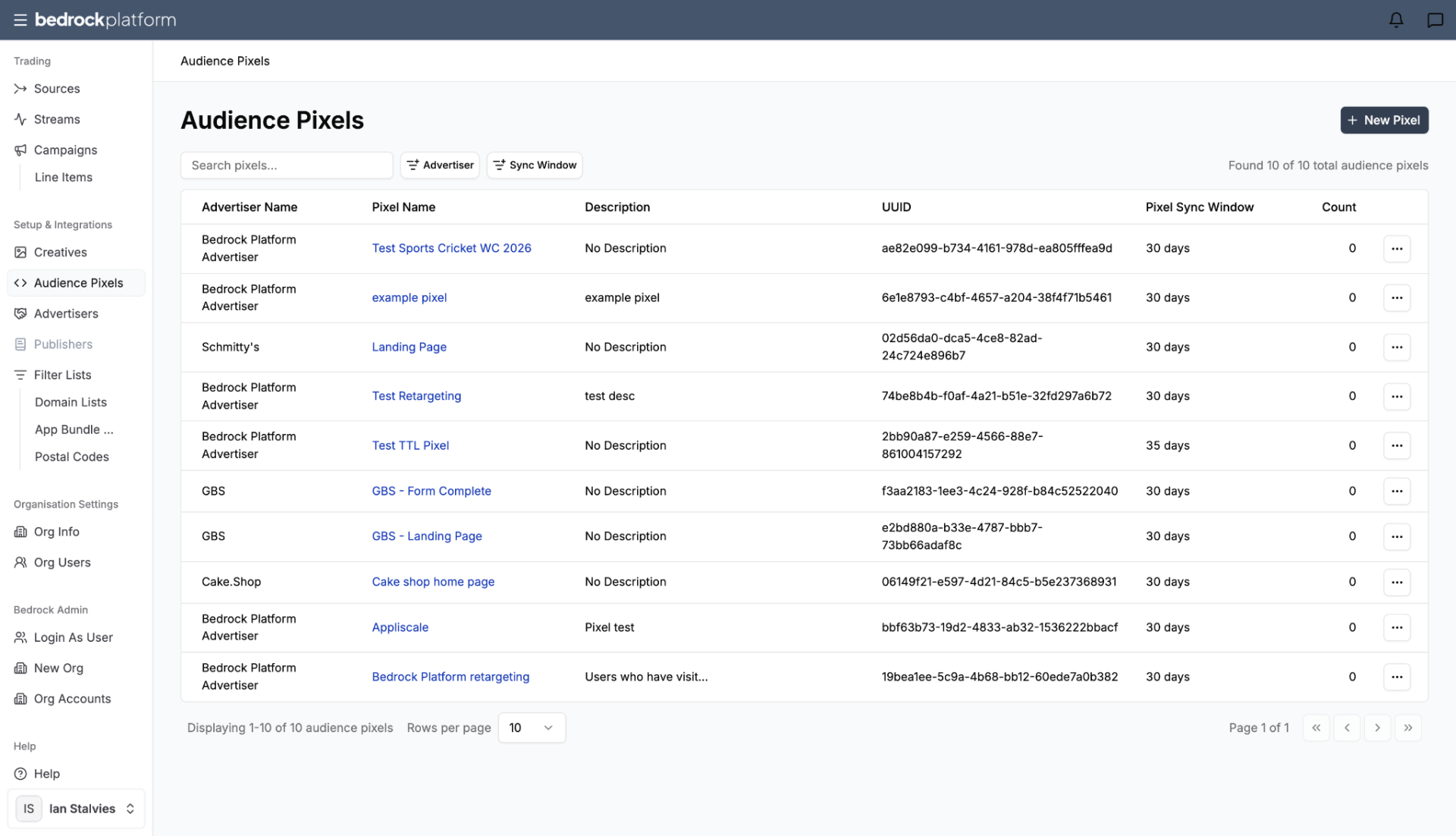
Setting Up Retargeting
- Create an Audience Pixel → Setup & Integrations → Audience Pixels → New Pixel
- Place the pixel on your website — add the pixel code to the pages you want to track (e.g., product pages, cart, checkout)
- Wait for the segment to build — the pixel starts collecting users immediately. Monitor the user count in the Audience Pixels section.
- Target the segment in a line item — when creating or editing a line item, add the retargeting segment to the targeting configuration
Sync Window
Audience pixel data is available for up to 180 days. The Audiences section shows the total count of users in each pixel’s sync window.
Best Practices
- Place pixels on high-intent pages (product pages, cart) for better retargeting quality.
- Set a reasonable frequency cap on retargeting line items to avoid ad fatigue.
- Combine retargeting with other targeting (geo, device) for more precise campaigns.
Segment Capture
Segment capture is the process of building audience segments from campaign impressions. When your campaign serves an impression, the user can be added to a segment for future targeting.
This functionality enables users to enable sequential campaign targeting: users who were exposed to your ads become a targetable audience for follow-up campaigns.
Pixel-Based Audiences
Creating an Audience Pixel
- Go to Setup & Integrations → Audience Pixels
- Click New Pixel
- Name the pixel and configure:
- Advertiser — which advertiser this pixel belongs to
- Description — what the pixel tracks
- Retention window — how long user data is retained (up to 180 days)
- Copy the pixel code and implement it on the target website
The platform shows the total user count for each pixel, updated regularly.
Third-Party Audiences
Third-party audience data can be layered onto Audience Streams at the Curate stage. This is where you add segments from data partners like:
- Evorra — verified first-party audience segments via clean-room technology (cookieless)
- Anonymised — privacy-safe reach extension across Safari, iOS, and Firefox (ID-less)
- Custom data partnerships onboarded through your account manager
Third-party audiences are applied at the stream level, not the line item level. This means the audience targeting carries across every campaign that uses the stream.
First-Party Data
Forge accounts can onboard their own first-party data — CRM lists, customer segments, behavioral data — through their account manager. First-party data is applied at the stream level alongside third-party data.
Data Partnerships and Integrations
Bedrock supports integration with multiple data providers. Contact your account manager to discuss:
- Onboarding your existing data partnerships.
- Accessing Bedrock’s data marketplace.
- Custom audience segment creation.
- Attribution and measurement integrations.